Showing posts with label MatterControl. Show all posts

Tuesday, January 21, 2014

Matter Control Set Up

Okay, I didn't get the video done this morning. But I had a good reason. I had to go over to City Hall in San Leandro and get Mind-2-Matter's business license! I've been trying for a couple of weeks to get over there, but the planning department has wonky hours. They work a full day Monday and 8-12 Tuesday through Thursday and are closed on Fridays. Yesterday was a holiday (and last week I don't think I ended up in San Leandro during business hours), so I got it taken care of today.

I did get some screen captures done of the set up for Matter Control today. I haven't had a chance to run anything yet (there are never enough printers because we're so busy!), but set up is super easy.

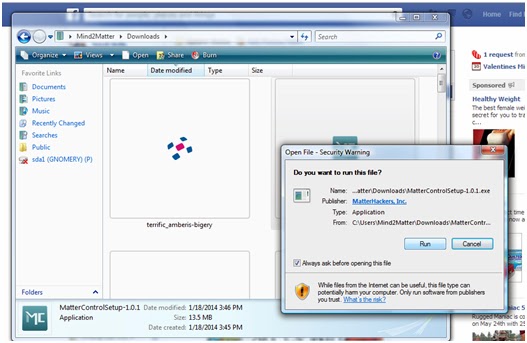
The usual - download the file and run it. 

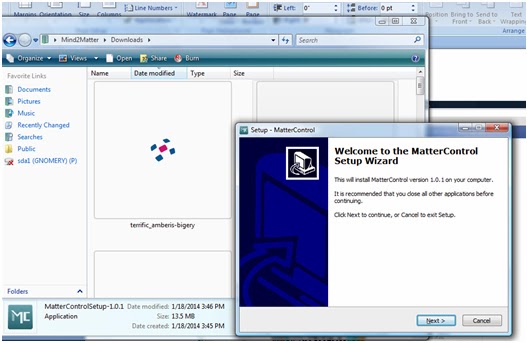
Follow the Setup Wizard (I'm pretty sure you don't need a play by play of this step)
I'm jumping ahead to opening the program in the next step so don't think you missed anything. 
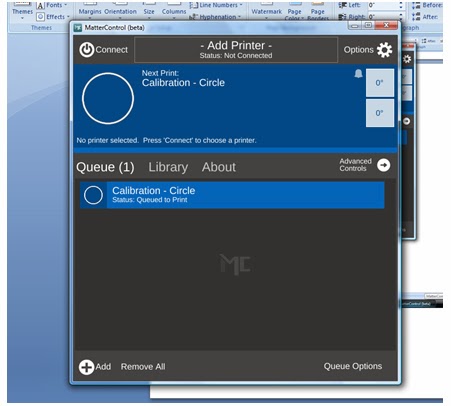
This is the default screen when you open it for the first time. 
This is where you will set up your printer (and where I found out about the Airwolf printers. I want to get my hands on one so I can see if it lives up to such a badass name).

Click on the center where it says "add printer".


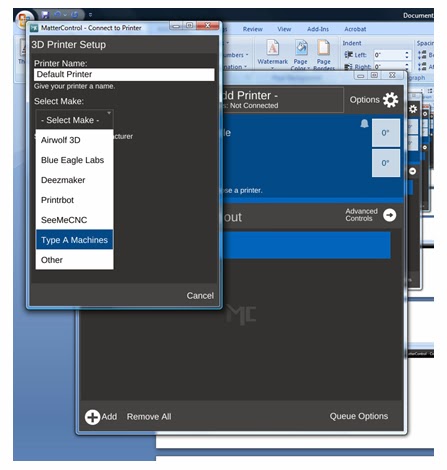
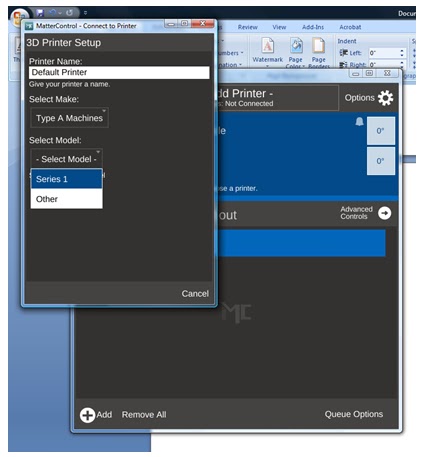
In this screen you can name your printer (really helpful when you have a wall full of printers to try to keep straight) and you are able to select your make and model of printer (which will lead you to the right drivers to install).

They are listed in alphabetical order, but look there's the Airwolf!
Really though, if you want dependability, go with the Type A Machines - We're running 5 right now!
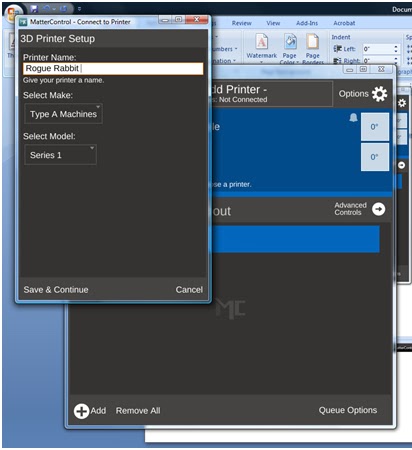
Select your model - We've got the Series 1. 
And choose a name. Obviously - Rogue Rabbit is an appropriate name.
Maybe when we get the Tantillus printers up and running, I will make one named Rogue Rabbit. 
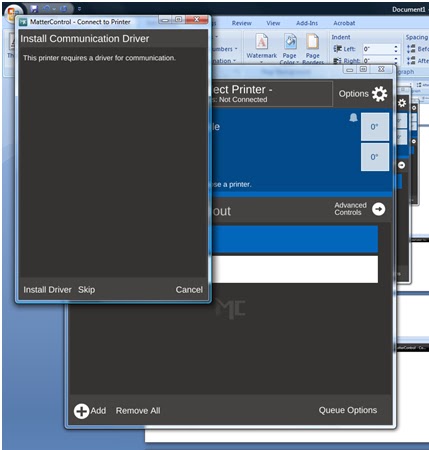
Install your drivers. 
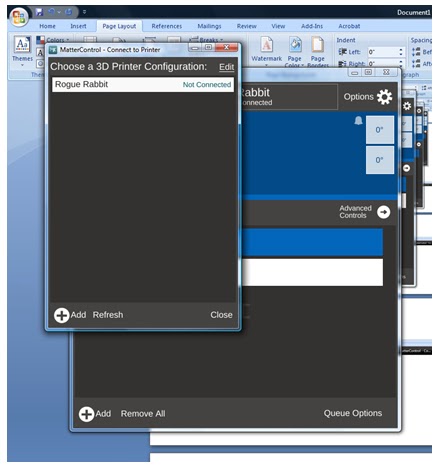
After installing drivers and testing communication, you are ready to choose your printer. 
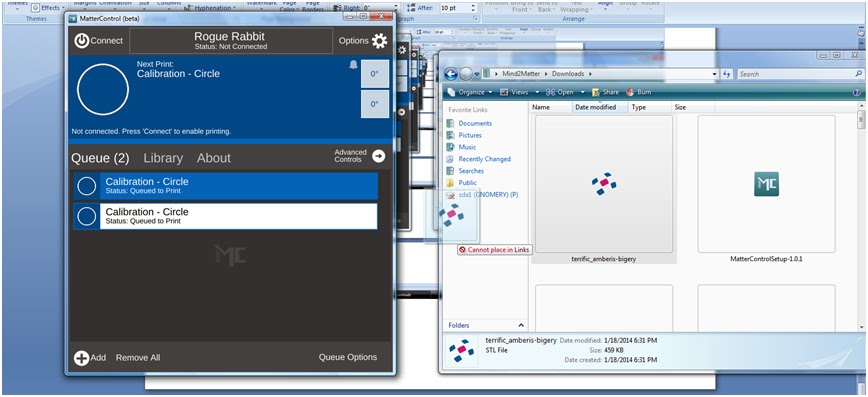
Here's one of the cool parts - Drag and drop file queuing. I've downloaded one of my models from TinkerCAD,
and just dragged it over to my queue.

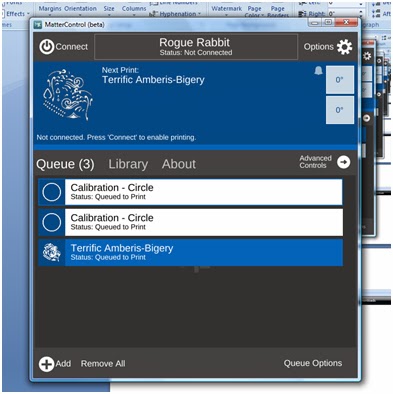
And here's my file added to the queue. 
I'll try to get my hands on a printer tomorrow to run a print job.

Like I've said, I'm a total novice when it comes to printing. Justin has ALL the printing skillz because he's seriously spent like the entire last year with the printer. He knows the ins and outs better than anyone does of the Type A Machines Series 1. He also knows the hassles of other printer controllers.

I'll play with it and ask his opinion on it as an "expert".

BTW, added a few new pieces of art to our Society6 page, including this awesomeness! I don't even like throw pillows, but I would order one.


Everyone needs a day off.

I was all super ready to do a run down of Matter Control today. Well, life happens and it was a beautiful day at the beach with my family.

We go to Blind Beach as a family on Jan. 20th to remember my brother, Jesse, each year. It is a place filled with great family memories, I got married there and it's the beach from the end of the Goonies.

Does the arch look familiar?!
It definitely does NOT feel like January. In the least. It was like 70 degrees and sunny with barely a breeze. You can't even get that weather in July around here (we had overcast and cool weather for our June wedding).


I'll be home in the morning (it's about 12:30 a.m. and I'm at the Gnomery) so I will do the video walk through of MatterControl set up on Desky. I've got Screencast-O-Matic installed on Desky and makes recording video/audio a snap. It's also a bit better than just posting some pictures of screen shots.

I have to say that I've done the set up, played around with it and Matter Control should be a breeze for novices. Considering we have only had one printer at home (well, there was a bit of time we had 2 printers at home) and it was being used for making $$$$, I never really got a chance to play around with some of the other controller software out there. I can tell you from watching Justin spend countless hours figuring it all out, none of them are as straight forward as Matter Control.

Matter Control introduced me to the Airwolf line of printers. While we exclusively use Type A Machines Series 1 printers, I'm slightly obsessed with the Airwolf printer. Really only because it has such a badass name. I've had the Airwolf theme song stuck in my head since I saw the printer.


I can't attest to how Airwolf printers work (though if the makers want us to test head to head on a commercial level versus the Type A Machines, we'll gladly test it for you!), and I know they currently come with a much larger diameter hot end (.5 is their standard with a .35 hot end available sometime in the spring), so it's comparing apples to oranges.


Wednesday, January 15, 2014

Piper Pillows?! (LaserGnomes are on Society6)

I've finally gotten around to putting my photography and art up on Society6. While I could technically take care of getting prints made, it's a lot easier to outsource it. I don't have to worry about making/obtaining the print, shipping, etc and Society6 can offer products that I can't such as iPhone cases, tote bags, throw pillows and the like.

I mean seriously can you resist a Piper Pillow?
I want to order one for Piper!
I haven't been to the Gnomery in 3 days! It's a bit weird, but I am working "out of the home" on some illustrations for an upcoming project.

I used the Microsoft Surface Pro 2 yesterday to work on one of my pieces and it was AWESOME. It was like a mini Cintiq! We have the 256G model with 8GB of RAM. Um seriously, I was so jealous. It's a tablet that is better than both my lappy (6GB of RAM) or my desky (only a piddly 2GB of RAM)! The ElderGnome managed to get his hands on one and they have been out of stock FOREVER!

We got it to use with the Sense 3D scanner (the Surface Pro 2 has USB onboard) but it's also AMAZING for PhotoShop and Illustrator. There's a bit of adjusting (I'm used to full keyboard and the Wacom Intuos 4) but I really loved the performance. The only problem I ran into was serious arm pain today. The screen isn't as large as my Intuos surface (or any of my sketchbooks), so I was using a lot more fine motor control, which causes my arm and hand pain to flare up.

On the 3D printing front, Justin was insanely excited by the beta release of MatterControl, a new printer controller. I haven't had a chance to see it in action but Justin was super excited when he called me from the shop about it. In reviewing the features, I can see why he's excited.

  • It's "plug & print", which he probably isn't super thrilled about but new users will be. 
  • SMS and Email notification - That's a pretty big deal. Knowing a print is complete (or not), helps us plan our day a bit more accordingly. Say we go home for the night, it will be great to know if the print is actually done instead of going in and hanging out until it finishes (also great if you need to go out to lunch or run errands). 
  • Drag and Drop queuing - Drag and drop always makes things flow a bit better. 
  • Design Library - This is pretty sweet. It allows you to organize and store your print files. 
  • Advanced Plating - This is pretty exciting. Automatically detect multiple parts within a single design file and then individually manipulate, scale, rotate, and mirror those parts.
Like I said, I haven't seen it in action yet, but it sounds pretty awesome. I think the feature that was most exciting (to Justin, Elijah and possibly Levi) was that you can name your printer(s). That might not seem like much, but when you have 5 printers running, names help instead of COM PORT numbers.

In fact, we're having a naming contest. Suggestions can be made on the LaserGnomes Facebook page.